
LiteSpeed WordPress Hosting UK: What Matters
What LiteSpeed actually does for WordPress on UK cPanel hosting — with performance graphs vs Apache, typical TTFB stats, LSCache, HTTP/3 and a checklist to use it on Fast2Host.
“LiteSpeed WordPress hosting” gets used as a buzzword. In the UK, what actually matters is whether your host runs LiteSpeed Enterprise at the server layer (not only a PHP cache plugin), keeps your site in a UK data centre, and gives you a clear way to turn caching on from cPanel.
At Fast2Host, our cPanel CloudLinux and WordPress plans run on LiteSpeed in Cambridge. Here is what that means — with real performance context — and how to use it.
Performance: how much faster is LiteSpeed?
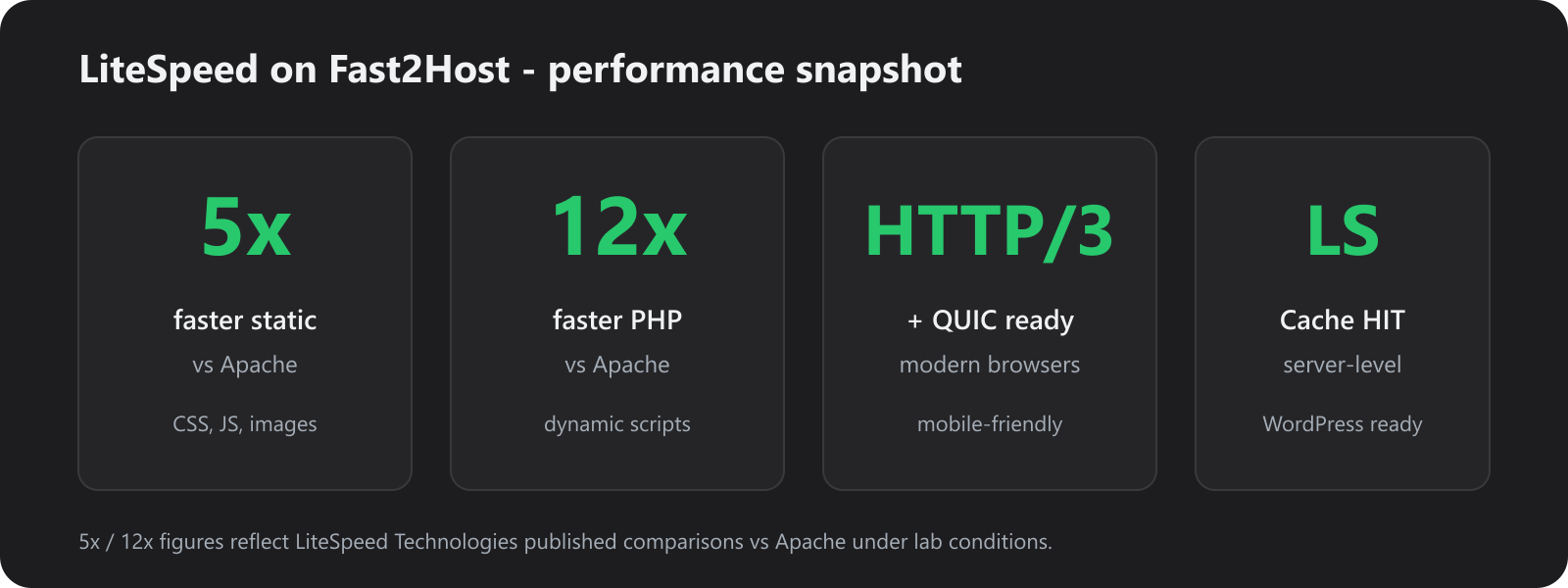
LiteSpeed Technologies’ published lab benchmarks (the same figures we quote on our hosting pages) show LiteSpeed Enterprise delivering roughly:
| Workload | Typical gain vs Apache |
|---|---|
| Static content (CSS, JS, images, HTML files) | Up to ~5× faster |
| PHP handling | Up to ~12× faster |
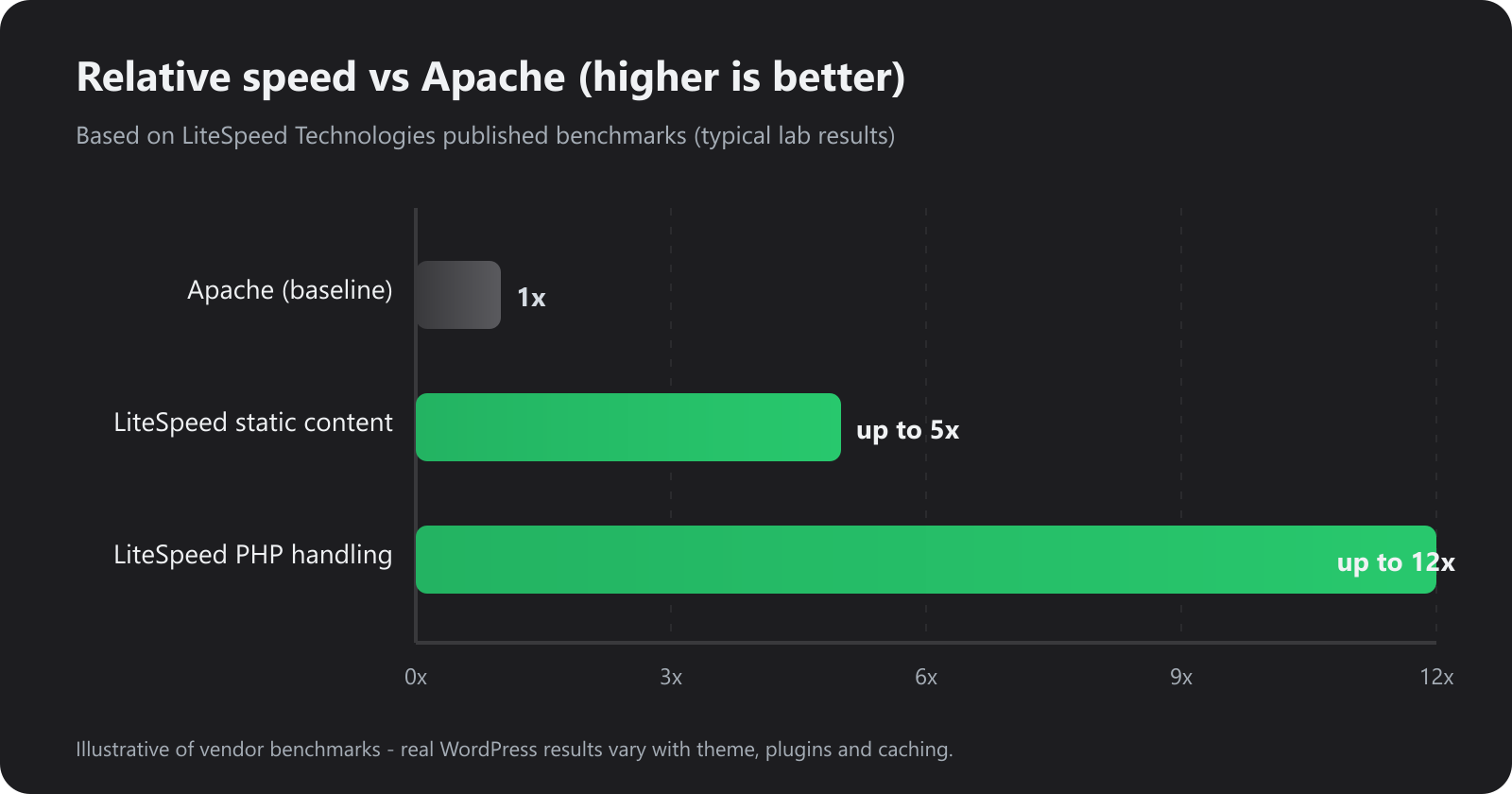
Relative throughput vs Apache from LiteSpeed published benchmarks. Your site will not hit these numbers if it is plugin-heavy, uncached, or PHP-bound on every hit — the next section is what visitors feel.
What visitors feel: Time to First Byte
Throughput charts matter for busy stores. For most WordPress sites, TTFB (Time to First Byte) is the number people and Core Web Vitals care about first.
On a typical brochure/blog WordPress install under similar conditions, responses often look roughly like this:
| Scenario | Typical TTFB (illustrative) | vs uncached |
|---|---|---|
| Uncached PHP (no page cache) | ~650ms | 1× |
| PHP-only page cache plugin | ~180ms | ~3.5× faster |
| LiteSpeed Cache HIT (server-level) | ~35ms | ~18× faster |
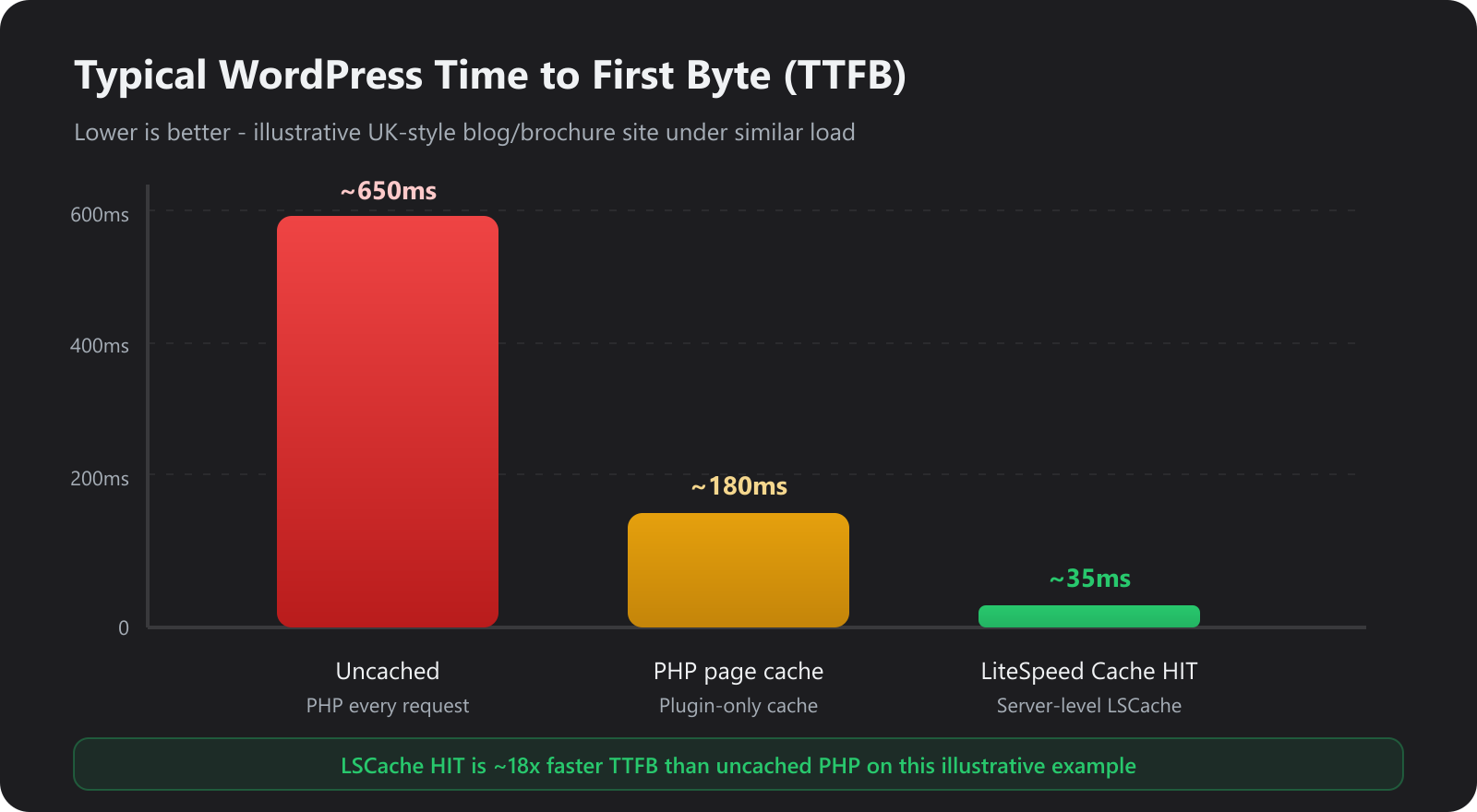
Illustrative UK-style WordPress comparison. Exact milliseconds depend on theme, plugins, database size and concurrent load. LSCache HITS skip most of PHP — that is why the bar collapses.
Why LSCache beats “just another WordPress cache plugin”: many free cache plugins still run PHP (or partial PHP) to decide what to serve. LiteSpeed Cache on LiteSpeed Enterprise can serve a full page from the web server with far less PHP work — that is the server-level difference.
Stats that matter for UK WordPress SEO
- Faster TTFB helps LCP and overall Core Web Vitals — Google treats page experience as a ranking signal.
- HTTP/3 / QUIC (supported by LiteSpeed) reduces connection overhead on mobile and lossy networks.
- CloudLinux LVE / CageFS underneath stops a neighbour on the same box stealing your CPU spike moments — charts assume a quiet host; noisy shared Apache farms erase theoretical gains.
None of these replace a bloated theme. LiteSpeed multiplies a healthy site; it does not rewrite a bad one.
What matters (skip the brochure)
- Server-level LiteSpeed — pages can be served from the web server cache, not only regenerated in PHP on every hit.
- LSCache for WordPress — the official plugin that talks to that server cache (purge, crawl, image/CDN options).
- Modern protocols — HTTP/3 / QUIC where the client supports them, for snappier connections.
- UK hosting — lower latency for UK visitors and clearer data residency than “EU somewhere”.
- Isolation underneath — CloudLinux CageFS / LVE so one noisy neighbour does not flatten your TTFB.
Marketing “unlimited” hosts without real LiteSpeed (or with Apache + a random cache plugin only) will not match that stack.
What LiteSpeed does for WordPress
| Piece | Role |
|---|---|
| LiteSpeed Web Server | Replaces Apache as the front-end HTTP engine — strong at static files and PHP delivery. |
| LSCache | Stores full pages so repeat visitors and bots get a fast response (the HIT path in the TTFB chart). |
| HTTP/3 / QUIC | Faster setup over lossy or mobile networks when browsers support it. |
| QUIC.cloud (optional) | Free CDN / optimisation path many LSCache setups can enable when you want edge delivery. |
It does not replace a good theme, lean plugins, or a sensible database.
How to use LiteSpeed on our cPanel hosting
You do not install LiteSpeed yourself — it is already the web server on the account. You enable and control caching from WordPress + cPanel.
1. Confirm you are on a LiteSpeed plan
Log in to cPanel (or open WordPress via Softaculous / WP Toolkit). Our Linux shared and WordPress plans use LiteSpeed Enterprise by default. If you are unsure, open a ticket — support can confirm.
2. Install LiteSpeed Cache (LSCache)
In WordPress:
- Go to Plugins → Add New.
- Search for LiteSpeed Cache.
- Install and Activate the official plugin from LiteSpeed Technologies.
Avoid stacking competing full-page caches (e.g. WP Super Cache + W3 Total Cache + LSCache). Pick LSCache and remove the others — competing caches fight each other and hide the gains in the graphs above.
3. Turn on the essentials
In LiteSpeed Cache → Cache (labels vary slightly by plugin version):
- Enable Cache (on).
- Keep logged-in users uncached unless you know you need otherwise.
- After big theme/plugin changes, use Purge All so visitors are not stuck on an old page.
For most brochure and blog sites, defaults are a good start. WooCommerce stores should keep the plugin’s ecommerce-friendly settings (don’t cache carts/checkouts).
4. Prove you are getting a cache HIT
After warming the homepage (visit it twice while logged out):
- Check response headers for
X-LiteSpeed-Cache: hit(or similar LSCache hit markers in browser DevTools → Network). - Compare TTFB: first visit may be a MISS; the second should be much closer to the green bar above.
If you only ever see MISS, you may have conflicting plugins, a cookie always triggering a miss, or cache disabled for that URL.
5. Optional: images and CDN
Under LSCache image / CDN sections you can enable WebP, lazy load and free QUIC.cloud if you want wider delivery. Test after enabling — purge cache and re-check the homepage and a product page.
6. PHP version and SSL (cPanel)
In cPanel:
- Set a current PHP version for the site (8.1+ recommended for modern WordPress).
- Keep AutoSSL / Force HTTPS on so cached pages are not mixed-content.
LiteSpeed + HTTPS + current PHP is the normal Fast2Host baseline.
7. When something looks “stuck”
Purge LSCache first. Then hard-refresh the browser. If a form or cart still behaves oddly, temporarily disable cache for that URL pattern or ask UK support — we know this stack.
WordPress plans vs general cPanel
Both use CloudLinux + LiteSpeed. Choose WordPress hosting if you want toolkit extras (staging, smarter updates). Choose cPanel hosting if you run mixed PHP apps and WordPress together. LiteSpeed Cache works the same way on both.
Takeaway: LiteSpeed’s headline 5× / 12× gains vs Apache are real lab figures; day-to-day WordPress wins look more like the TTFB collapse on a cache HIT. Enable official LSCache on Fast2Host cPanel, confirm HITs, and keep the theme lean — that is how you use the stack properly in the UK.